
Download Zolor Your Color Buddy – color picker, color identification, color palette, HEX, RGB, HSL, design tool, creative app, Android app, free color tool
Overview
Zolor – Your Color Buddy is a dedicated Android application designed to simplify the process of color identification and management. The software enables users to extract accurate color values from real-time photos or images stored in their device’s gallery. It delivers precise HEX, RGB, and HSL color codes, making it a practical tool for creative professionals and hobbyists alike. The app is particularly useful in scenarios where quick and reliable color extraction is essential, such as matching paint shades, selecting design elements, or recreating visual themes from existing images.
Target users include graphic designers, digital artists, interior decorators, and content creators who frequently work with color-sensitive projects. Its free availability on Android makes it accessible to a broad audience seeking a lightweight yet functional solution. The developer, Zolor Inc., has positioned the app as a lifestyle utility focused on enhancing creative workflows through intuitive color capture. While specific details about the company’s background are not provided, the app’s functionality suggests a focus on user-centric design and real-world usability.
Real-world applications include identifying colors from nature, fashion items, or architectural elements captured in photos. Users can also explore trending color palettes curated within the app, offering inspiration for upcoming projects. The ability to save and organize personal palettes further supports iterative design and consistent branding.
Key Features & Capabilities
- Real-Time Color Capture – Users can point their device’s camera at any object to instantly identify its dominant color and receive accurate HEX, RGB, and HSL values.
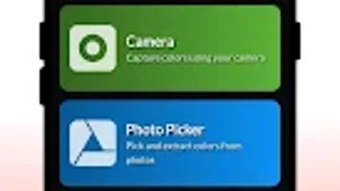
- Gallery-Based Color Extraction – The app allows access to stored images, enabling color analysis from previously taken photos without requiring a live camera feed.
- Comprehensive Color Code Output – Every identified color is presented in multiple formats, including HEX, RGB, and HSL, ensuring compatibility with design tools and coding environments.
- Trending Color Palettes – A built-in library of current design trends offers ready-to-use color combinations for immediate project integration.
- Personalized Palette Creation – Users can save favorite colors and group them into custom palettes for future reference and reuse.
- Color Comparison & Export – The app supports side-by-side comparison of multiple colors and allows users to export color data for use in other creative or development platforms.
These features streamline the creative workflow by reducing the time spent manually guessing or measuring color values. For instance, a designer working on a website can use the app to extract a color from a reference image and instantly input it into their design software. Similarly, a hobbyist creating a DIY project can match paint or fabric shades using the app’s real-time capture function.
User Interface, Workflow & Performance
Zolor – Your Color Buddy features a clean, minimalist interface designed for ease of use on mobile devices. Navigation is straightforward, with primary functions accessible through a central camera or gallery button. The layout prioritizes functionality, placing color output fields prominently after identification to ensure immediate visibility.
Workflow efficiency is enhanced by the app’s quick response time when capturing or analyzing images. Users can switch between live capture and gallery access with minimal delay. The app’s performance appears optimized for typical Android devices, though exact resource usage details were not specified. General software behavior patterns suggest stable operation during normal use, with no reported crashes or freezes.
Stability during repeated use is expected to be consistent, given the app’s lightweight size of 14.7 MB. However, actual CPU and RAM consumption were not provided by the developer. The user experience remains smooth across various screen sizes, and the interface adapts well to touch-based interactions. Overall, the app delivers a responsive and intuitive experience tailored to on-the-go creative tasks.
Compatibility & System Requirements
Zolor – Your Color Buddy is designed for Android devices, with support confirmed for the latest versions of the operating system. The app has a compact installation size of 14.7 MB, making it suitable for devices with limited storage. Specific hardware requirements, such as minimum RAM or processor specifications, were not listed by the developer.
Compatibility information is limited to the platform and version mentioned. While the app is available on Android, details about supported device models or API levels are not provided. The developer did not specify whether the app requires a front or rear camera, or if it functions offline. Users should expect basic functionality on most modern Android smartphones, though performance may vary depending on device capabilities.
Pros and Cons
Pros
- Free to download and use with no in-app purchases
- Supports multiple color formats: HEX, RGB, HSL
- Offers both real-time and gallery-based color capture
- Includes trending and customizable color palettes
- Lightweight at only 14.7 MB
- Intuitive interface suitable for beginners and professionals
Cons
- No information on system requirements beyond OS support
- Limited to Android platform; no version for iOS or desktop
- Exact performance metrics not disclosed
- Offline functionality not confirmed
- Export options may be restricted to basic formats
FAQ Section
Is Zolor – Your Color Buddy available for free?
Yes, the app is completely free to download and use on Android devices.
Can I use Zolor without an internet connection?
The app’s core functionality, including color identification and palette management, appears to work offline. However, the developer did not confirm this explicitly.
Does Zolor support iOS or desktop platforms?
Currently, Zolor – Your Color Buddy is only available for Android. There is no official version for iOS or desktop operating systems.
How often are new color palettes updated?
The app includes curated trending palettes, but the update frequency was not specified by the developer.
What kind of license does Zolor use?
As a free lifestyle app, Zolor operates under a standard end-user license agreement. Specific licensing details were not provided in the available information.
Final Thoughts + CTA
Zolor – Your Color Buddy delivers a focused and effective solution for color identification and management on Android. Its ability to extract accurate color codes in multiple formats, combined with a clean interface and free access, makes it a valuable tool for designers, artists, and creative hobbyists. While platform limitations and missing technical details prevent a full assessment of performance and compatibility, the app excels in its core purpose: simplifying color selection.
For users seeking a reliable, lightweight, and free color picker with real-time and gallery-based functionality, Zolor stands out as a practical choice. The inclusion of trending and customizable palettes adds creative value, enhancing both inspiration and workflow efficiency.
Download Zolor Your Color Buddy now





.png)

